
I watched an interesting YouTube video today and got inspired on setting up a DNS over HTTPS (DOH) server. The idea was to put a new DOH server as the forwarder/next hop for my network’s DNS. So heres the quick breakdown:
While watching some SEC football I installed Ubuntu as a VM on my Hyper-V setup. It was setup to use the minimal config so not much was added. Fisrt add dnsdist.
sudo apt update && sudo apt upgrade -y
sudo apt install -y dnsdist
sudo systemctl enable dnsdist
Next I needed to get a TLS certificate for the dnsdist config, so I installed cerbot and the Cloudflare plugin.
sudo apt update
sudo apt install certbot python3-certbot-dns-cloudflare -y
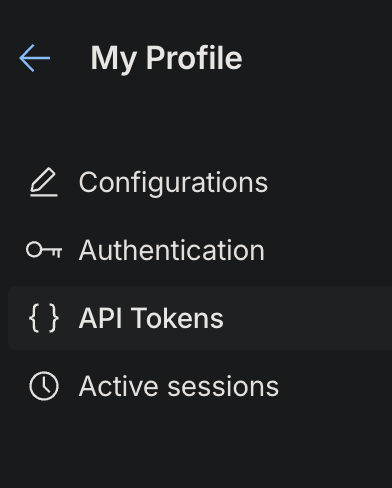
Using Cloudflare (which is hosting my DNS zone) I also needed to get an API token to use within the Ubuntu system to request and renew the cert. Login to Cloudflare, select/click the Profile in the top right. Next in on the profile page select “{} API Tokens” on the left and then click “Create Token”:
Once you have the token, copy and add to a new file [/etc/letsencrypt/cloudflare.ini] on Ubuntu:
dns_cloudflare_api_token = YOUR_API_TOKENThen set persmissions on the file:
sudo chmod 600 /etc/letsencrypt/cloudflare.iniNow create a request for the cert:
sudo certbot certonly \
  --dns-cloudflare \
  --dns-cloudflare-credentials /etc/letsencrypt/cloudflare.ini \
  -d doh.example.com \
  -m yourname@example.com \
  --agree-tos
Add the cert to the dnsdist config – edit /etc/dnsdist/dnsdist.conf:
-- Allow all clients (tighten this for production)
setACL("0.0.0.0/0")

-- Classic DNS for LAN (UDP+TCP on :53)
addLocal("0.0.0.0:53")

-- DoH listener for clients (HTTPS on :443, path /dns-query)
addDOHLocal(
  "0.0.0.0",
  "/etc/letsencrypt/live/doh.example.com/fullchain.pem",
  "/etc/letsencrypt/live/doh.example.com/privkey.pem",
  "/dns-query"
)

-- ===== Choose ONE downstream path =====
-- (A) Outgoing DoH upstream (Cloudflare):


newServer({
  address = "1.1.1.1:443",
  tls = "openssl",
  subjectName = "cloudflare-dns.com",  -- SNI / certificate hostname
  dohPath = "/dns-query",
  validateCertificates = true,
  name = "cf-doh4"
})


-- (B) Or use local BIND instead of Cloudflare:
-- newServer({ address = "127.0.0.1:53" })

-- Basic load‑balancing policy (safe default)
setServerPolicy(leastOutstanding)
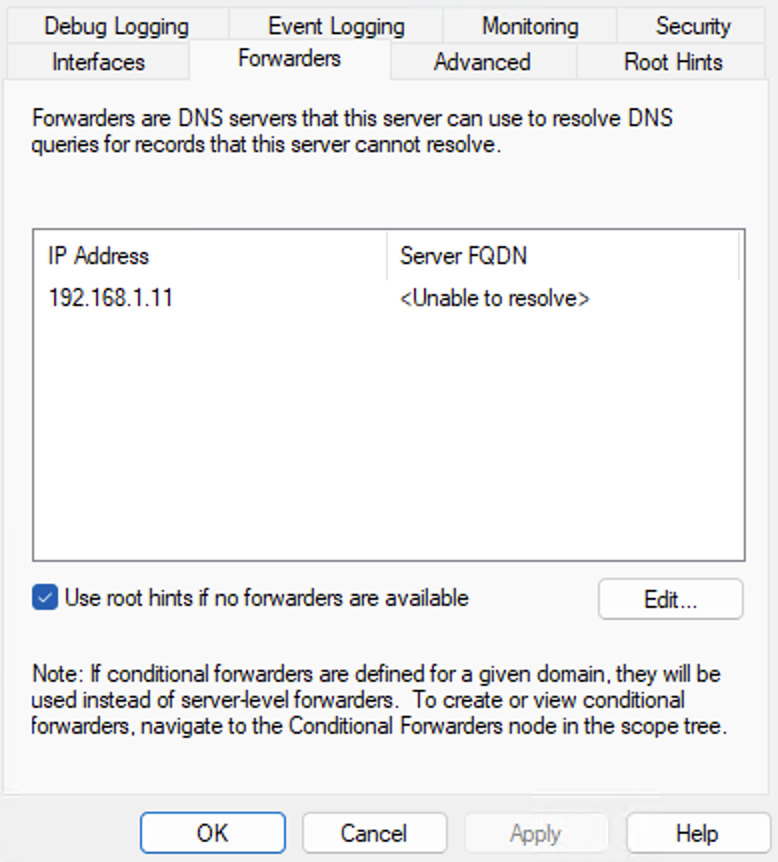
I next setup my internal Windows DNS server to use the DOH server as the only forwarder:
Here’s how the DNS traffic now flows:
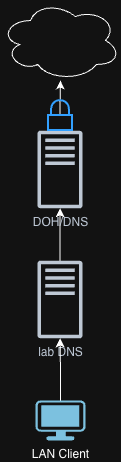
Now all my external DNS queries are being secured via HTTPS. Take that data aggregators.
Happy building.